Appearance

dnsx
A dependency-free & minimal DNS client. For the CLI, JavaScript & TypeScript.
Features
- Simple, lightweight DNS client
- Query any DNS record type (A, AAAA, MX, TXT, etc.)
- Multiple transport protocols (UDP, TCP, TLS, HTTPS)
- Colorized output with optional JSON format
- CLI and Library Support
- Zero runtime dependencies
Install
bash
bun install -d @stacksjs/dnsxGet Started
There are two ways of using this DNS client: as a library or as a CLI.
Library
Given the npm package is installed:
ts
import { DnsClient } from '@stacksjs/dnsx'

// Simple query
const client = new DnsClient({
  domains: ['example.com'],
  type: 'A',
  nameserver: '1.1.1.1'
})

const responses = await client.query()
console.log(responses)

// Advanced configuration
const client = new DnsClient({
  domains: ['example.com'],
  type: ['A', 'MX', 'TXT'],
  nameserver: '1.1.1.1',
  udp: true, // use UDP transport
  edns: 'show', // show EDNS records
  txid: 1234, // set specific transaction ID
  tweaks: ['aa', 'bufsize=4096'] // protocol tweaks
})

const responses = await client.query()
CLI
bash
# Simple queries
dnsx example.com                    # Query A record
dnsx example.com MX                 # Query MX record
dnsx example.com MX @1.1.1.1        # Use specific nameserver
dnsx example.com MX @1.1.1.1 -T     # Use TCP transport

# Advanced usage
dnsx -q example.com -t MX -n 1.1.1.1 --edns show   # Show EDNS records
dnsx example.com -J                                # JSON output
dnsx example.com --short                           # Short output format
dnsx example.com -Z bufsize=4096                   # Set UDP buffer size
Configuration
The DNS client can be configured using CLI options or through the library interface:
ts
// dnsx.config.ts
import type { DnsOptions } from '@stacksjs/dnsx'

const config: DnsOptions = {
  // Query options
  query: 'example.com', // Domain to query
  type: 'A', // Record type (A, AAAA, MX, etc)
  nameserver: '1.1.1.1', // Nameserver to query
  class: 'IN', // Query class (IN, CH, HS)

  // Protocol options
  edns: 'show', // EDNS mode (disable, hide, show)
  txid: 1234, // Transaction ID
  Z: ['aa', 'bufsize=4096'], // Protocol tweaks

  // Transport options
  udp: true, // Use UDP transport
  tcp: false, // Use TCP transport
  tls: false, // Use DNS-over-TLS
  https: false, // Use DNS-over-HTTPS

  // Output options
  short: false, // Short output format
  json: false, // JSON output format
  color: 'auto', // Color output (always, auto, never)
  seconds: false, // Show raw seconds
  time: false // Show query time
}

export default config
And all CLI options map directly to these configuration options:
bash
Usage:
  $ dnsx [...args]

Commands:
  [...args]  Perform DNS lookup for specified domains
  version    Show the version of dtsx

For more info, run any command with the `--help` flag:
  $ dnsx --help
  $ dnsx version --help

Options:
  -q, --query <HOST>       Host name or domain name to query
  -t, --type <TYPE>        Type of the DNS record being queried (A, MX, NS...)
  -n, --nameserver <ADDR>  Address of the nameserver to send packets to
  --class <CLASS>          Network class of DNS record (IN, CH, HS)
  --edns <SETTING>         Whether to OPT in to EDNS (disable, hide, show)
  --txid <NUMBER>          Set transaction ID to specific value
  -Z <TWEAKS>              Set uncommon protocol tweaks
  -U, --udp                Use DNS over UDP (default: false)
  -T, --tcp                Use DNS over TCP (default: false)
  -S, --tls                Use DNS-over-TLS (default: false)
  -H, --https              Use DNS-over-HTTPS (default: false)
  -1, --short              Display nothing but first result (default: false)
  -J, --json               Display output as JSON (default: false)
  --color <WHEN>           When to colorize output (always, auto, never)
  --seconds                Display durations in seconds (default: false)
  --time                   Print response time (default: false)
  --verbose                Print additional debugging information (default: false)
  -h, --help               Display this message
  -v, --version            Display version number

Examples:
dnsx example.com
dnsx example.com MX
dnsx example.com A AAAA NS MX
dnsx example.com -t MX -n 1.1.1.1 -T
Then run:
bash
./dnsx startTo learn more, head over to the documentation.
Testing
bash
bun testChangelog
Please see our releases page for more information on what has changed recently.
Contributing
Please review the Contributing Guide for details.
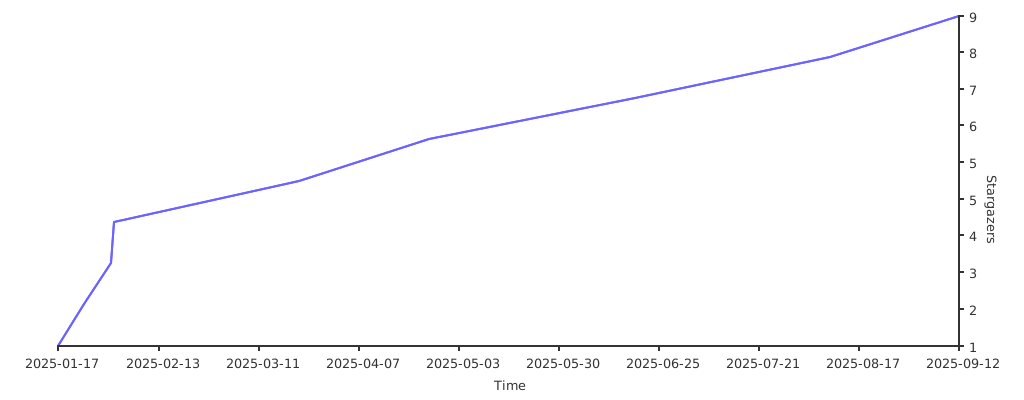
Stargazers
Community
For help, discussion about best practices, or any other conversation that would benefit from being searchable:
For casual chit-chat with others using this package:
Join the Stacks Discord Server
Postcardware
Two things are true: Stacks OSS will always stay open-source, and we do love to receive postcards from wherever Stacks is used! 🌍 We also publish them on our website. And thank you, Spatie
Our address: Stacks.js, 12665 Village Ln #2306, Playa Vista, CA 90094
Sponsors
We would like to extend our thanks to the following sponsors for funding Stacks development. If you are interested in becoming a sponsor, please reach out to us.
Credits
License
The MIT License (MIT). Please see LICENSE for more information.
Made with 💙